

Key Takeaways
- Mobile security is critical in protecting user data in banking apps.
- Understanding common security threats can help users enhance their protection.
- Effective mobile security solutions include encryption, biometric authentication and constant app updates.
The Rise of Mobile Banking
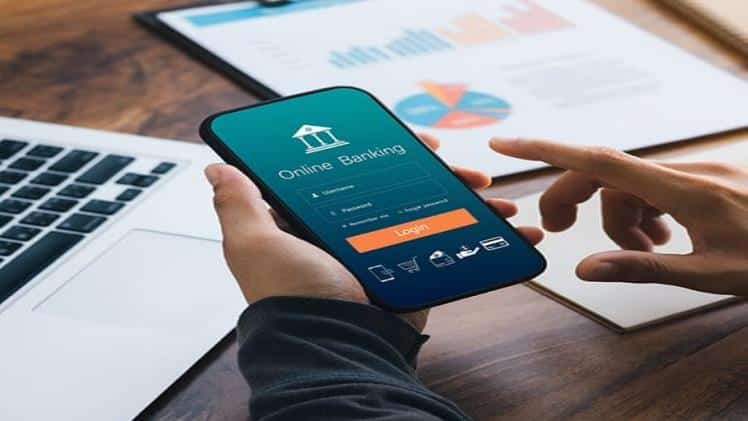
Mobile banking has rapidly become the preferred method for managing personal finances in recent years. This shift is mainly due to its unparalleled convenience. Users can easily access account information, make transactions, pay bills and even request loans via a smartphone with just a few taps, regardless of location or time. However, this convenience comes with its risks, making the role of mobile security increasingly critical. Ensuring mobile app security testing is essential in safeguarding user data from potential threats.
Banking apps handle susceptible information such as financial transactions, account details, and personal identification numbers (PINs), making them desirable targets for cybercriminals looking to exploit vulnerabilities. Mobile banking platforms’ convenience can become a significant risk without rigorous security measures. Proper precautions, including routine mobile app security testing, can guard against unauthorized access and data breaches, giving users peace of mind while they manage their finances. A balance between usability and security must be struck to ensure a safe and user-friendly banking experience.
Common Security Threats
As the popularity of mobile banking increases, so does cybercriminals’ creativity. Banking apps are frequent targets for attacks due to the valuable data they hold. Recognizing these common security threats is the first step in safeguarding personal information from malicious activities.
Malware
Malware is created to breach, harm and steal important data from devices. After being installed, it can secretly function in the background, taking sensitive information like login details, account numbers and personal data. The outcomes of a malware intrusion can cause significant harm resulting in unauthorized financial transactions and identity theft. One of the most effective ways to prevent malware infiltration is to avoid downloading apps from untrusted sources. Users should rely on official app stores and verified developers to reduce the risk of downloading malicious software. Regularly updating operating systems and apps also helps to patch known vulnerabilities, making it harder for malware to exploit them.
Phishing Attacks
Phishing attacks pose a frequent danger to the security of mobile banking. These attacks deceive users by using fraudulent emails, websites, or SMS messages in order to obtain personal information. An instance of this could be a user getting an email that appears to be from their bank, encouraging them to click on a link and share their login information. After the user agrees, the attacker is able to enter their account. In order to fight against phishing individuals must consistently confirm the legitimacy of messages and refrain from clicking on links that seem suspicious. Financial institutions commonly state that they do not request sensitive information via email. Knowledge and understanding are essential in protecting against this attack and individuals should be motivated to carefully examine all messages they receive.
The Importance of Encryption
Encryption changes data into a code to prevent unauthorized access to private information. Banking applications use encryption to safeguard user data when conducting transactions, guaranteeing the security of personal and financial details.
Encryption plays a vital role in safeguarding mobile banking security. Encrypting data into an indecipherable form protects confidential details from nosy individuals. The fact that the data can only be accessed by authorized users with the right decryption key makes it much more difficult for unauthorized people to intercept and decode it. This level of security is essential in a time when cyber threats are constantly changing. Encryption safeguards data while it travels and securely stores sensitive information on devices and servers.
Regular App Updates
Regular updates are essential to ensuring the security of mobile banking applications. Developers constantly strive to discover and address vulnerabilities issuing updates that improve the app’s security capabilities. Users can reduce the likelihood of being exploited by cybercriminals by ensuring their apps are regularly updated.
Regular updates introduce new features to improve performance and address any discovered security loopholes. Users should enable automatic updates on their devices to ensure they always run the most secure version of their banking apps. Keeping software updated is one of the simplest yet most effective ways to protect against new threats, as cybercriminals often target outdated versions of apps to exploit known vulnerabilities.
Biometric Authentication
Biometric authentication is a high-tech security measure that relies on distinctive physical features like fingerprints, facial recognition, or iris scans to confirm a person’s identity. This technique increases security measures, greatly hindering unauthorized access to accounts.
Unlike traditional passwords, biometric authentication provides a higher level of security because it relies on characteristics that are unique to each individual. For instance, fingerprints are formed randomly and are different even among identical twins. Banking apps incorporating biometric features enable users to perform quick and secure logins, enhancing the overall user experience while maintaining robust security standards. The growing adoption of biometric technology in mobile devices has made it easier for banking apps to integrate these features, contributing to a safer and more convenient banking experience.
Tips for Users
Although developers have a large responsibility in maintaining app security, users also play a crucial role in protecting their information. Below are some useful suggestions for improving security while using mobile banking:
- Use strong, unique passwords for banking apps. Avoid using easily guessable information such as birthdays, common words, or simple number sequences. A strong password typically includes letters, numbers and special characters.
- Activate two-factor authentication (2FA) whenever it is an option. Adding two-factor authentication increases security by demanding an additional means of verification like a code sent through SMS or a prompt from an authentication app, on top of a password. This means that even if someone manages to steal your password, they will not be able to log into your account without the second factor.
- Monitor accounts regularly for unusual activity. Check your account statements frequently and promptly report any suspicious transactions to your bank. Many banks offer instant alerts for transactions, providing immediate notice of potentially unauthorized activities.
- Download and utilize a trustworthy security application to conduct a malware scan. These applications are capable of identifying and eliminating harmful software, offering an additional layer of protection. Regular scans help prevent malware threats from compromising sensitive information on your device.
